API Quick Start — Requesting Time Series Data
1. Request a Key To request a key/token, please fill out this form. Keys are valid for 60 days and should be kept private. Requests are typically fulfilled within a few days.
To create your own key connected to your earth engine account, follow the directions outlined here.
2. Try it Using the Swagger Page Head to api.climateengine.org, which lets you make requests without writing any code.
-
Click Authorize and enter your API key.
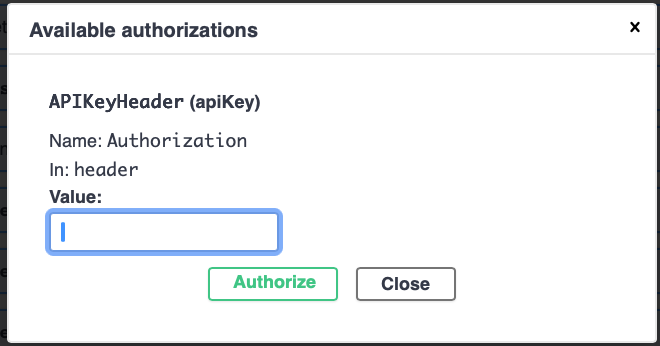
API Key Authorization -
Scroll to the timeseries section and expand an endpoint (e.g. timeseries/native/coordinates).
-
Click Try it out, fill in your dataset (GRIDMET), variable (pr), start_date (2024-10-01), end_date (2025-09-30), leave coordinates at default.
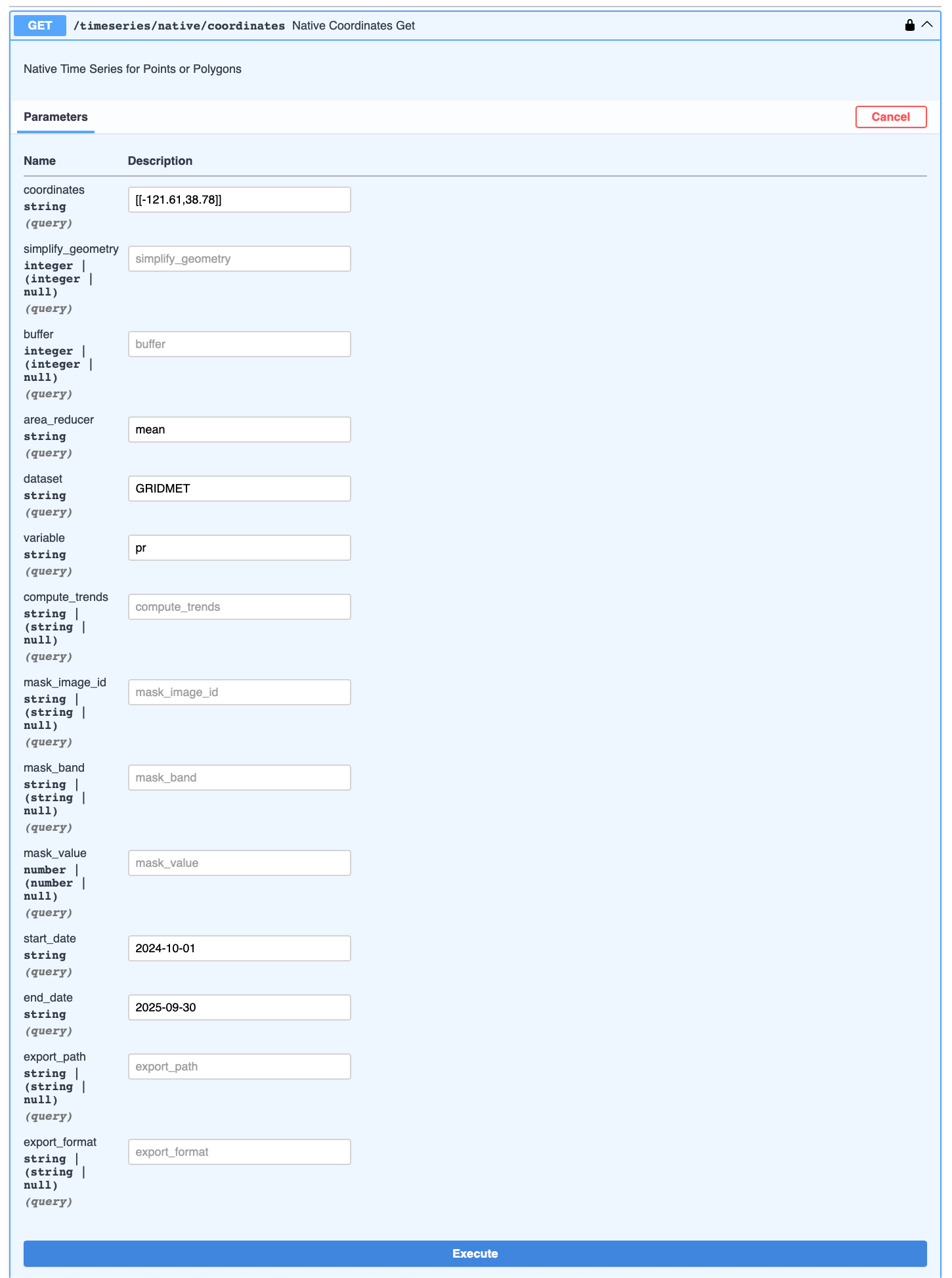
timeseries/native/coordinates endpoint -
Click Execute. Your time series data will appear in the response body below.
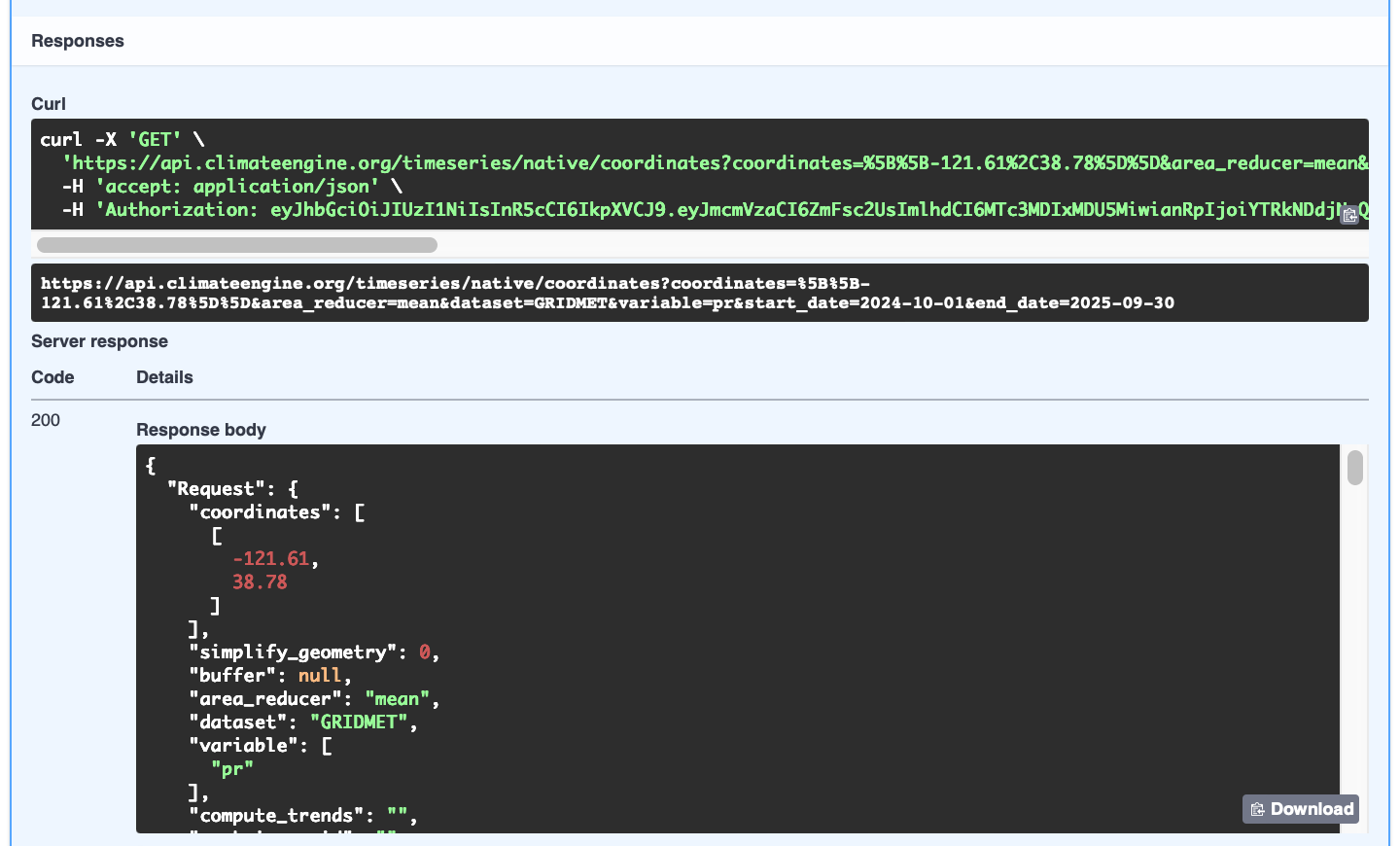
Response Body
3. Repeat Request in a Python Notebook Making the same request from Python lets you automate and scale your analysis. Open this example notebook to get started.
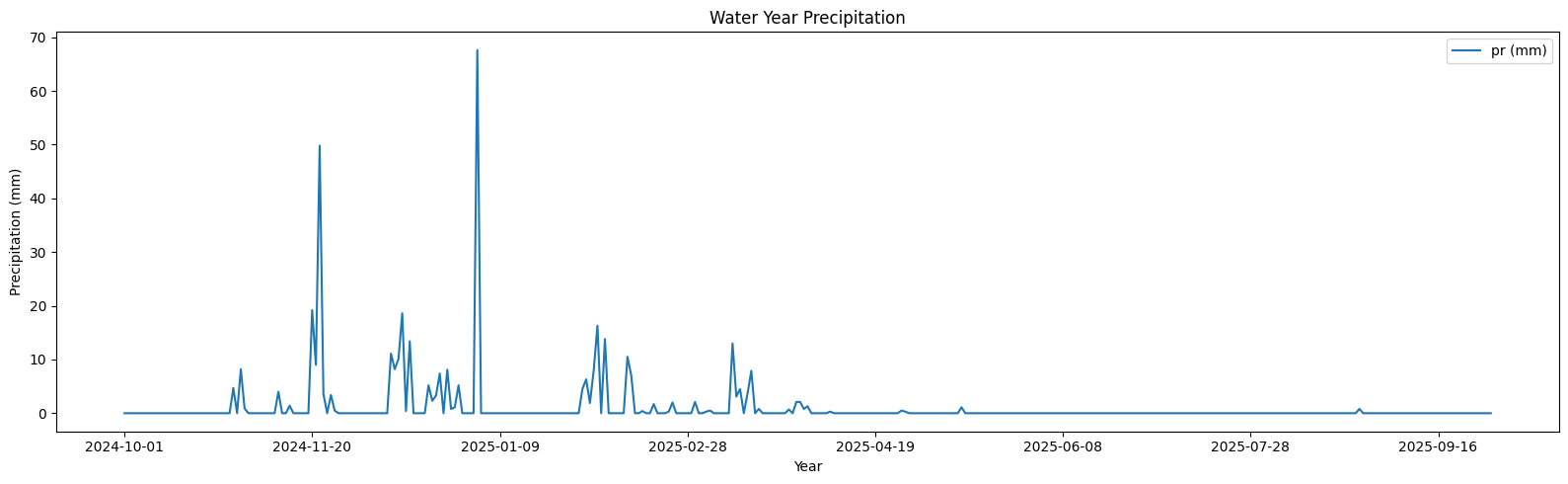
Curious for More?
- Full API Documentation: all endpoints, parameters, and dataset options
- Swagger Page walkthrough: step-by-step guide
- Python Scripts walkthrough: examples for timeseries, rasters, and charts
- All endpoint tutorials: Maps, Zonal Statistics, Probabilities, and more